Taking notes are an important part of writing, but note-taking apps aren’t made with using notes in mind. Stratus Notes is. It’s even in the name.
Great writing can be spontaneous, but if you need to take notes, that’s not a bad thing. Note-taking can lead to an article, a feature, a piece of work you want people to read, but apps rarely highlight the notes you’ve written.
The notes are there, often further down the page, possibly under a section called “Notes” to remind you that your scribbles and scratchings and scrawling, forcing you to drag down the bottom, write furiously, and edit everything back together again.
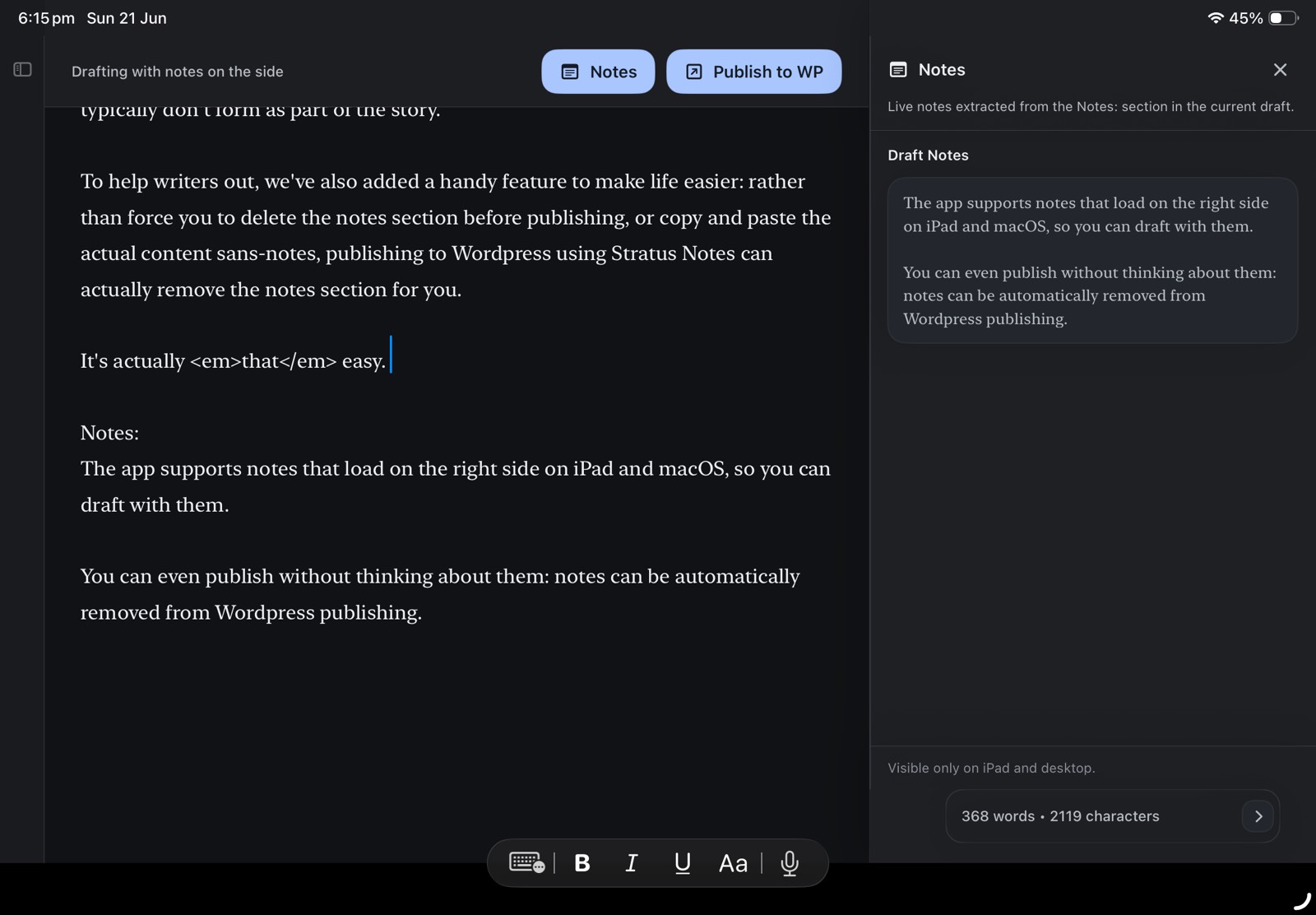
If you use a notes section, you’re not alone. And if you do, Stratus Notes has a feature you might like: notes found in this section can be split off to the side in a special note-focused sidebar. As you write, the notes sidebar can show all those little things you’ve been taking down, ready to let you scroll through them, and work through them clearly.
It’s a feature I’ve always wanted to as a journalist, because when I’m writing reviews and features, my notes are where my important details go. Often, I find I write sections of my articles in my notes, cutting them back into the main body.
Now that I have my own note-taking app for journalists, I’ve found I can fix this problem. This notes sidebar makes it possible to quickly load the notes off to the side, so you can glance at your important notes section, and build out the copy the way you want.
Cutting notes out at the time of publishing
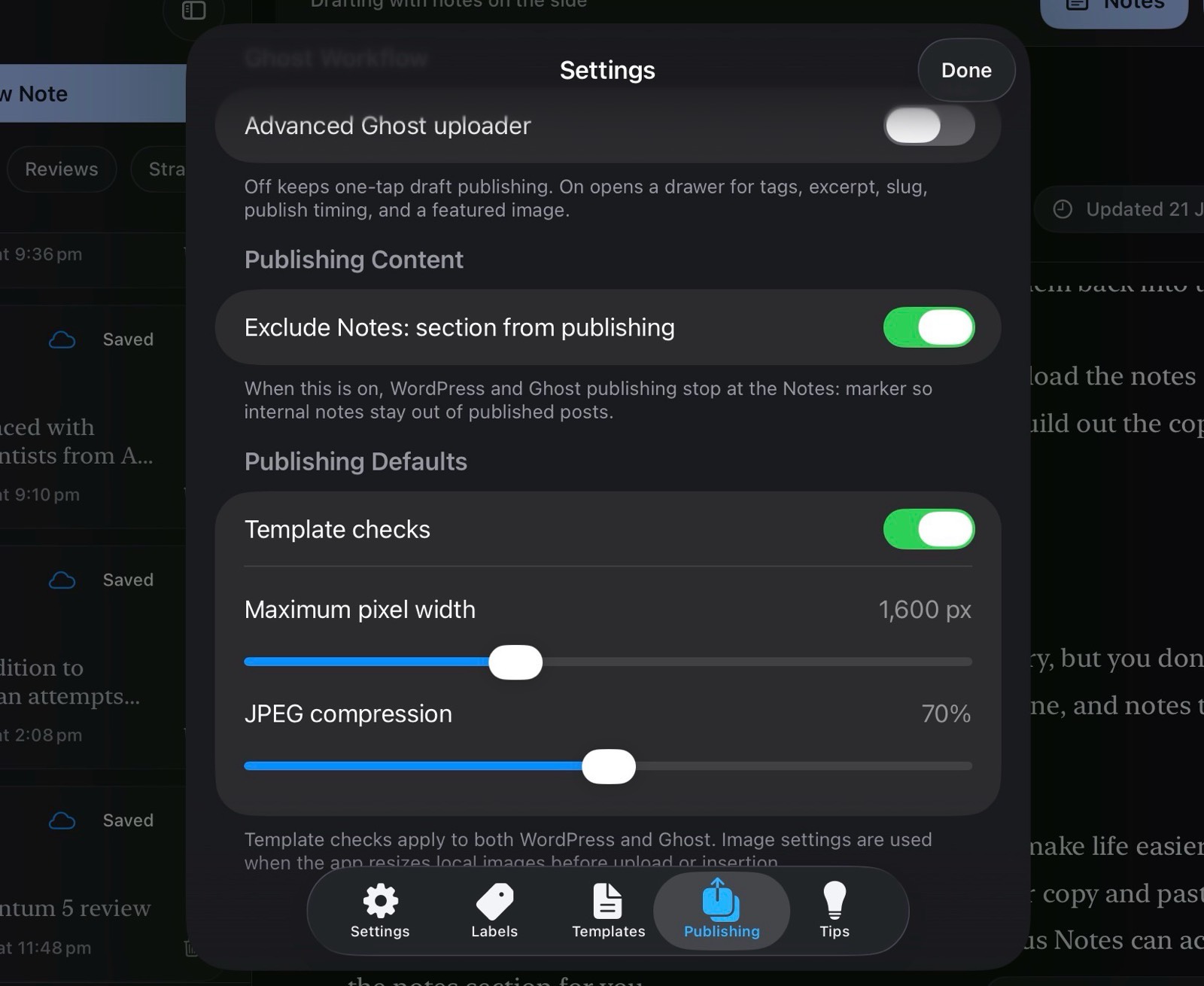
Those notes are probably crucial to building out your story, but you don’t want them published online at the time. They’re yours and yours alone, and notes typically don’t form as part of the story.
To help writers out, we’ve also added a handy feature to make life easier: rather than force you to delete the notes section before publishing, or copy and paste the actual content sans-notes, publishing to WordPress using Stratus Notes can actually remove the notes section for you.
It’s actually that easy and works across iPad and Mac, syncing your copy and your notes, and providing a sidebar to let you work from.
Update: the video was added to the post after it was published by using the CMS, but the article was published using the app.